Google Ads Setup for E-commerce: A Complete 2025 Guide to Launching, Optimizing, and Scaling Profitable Campaigns


Introduction: Why Google Ads is Essential for E-commerce Success in 2025
In the fast-paced world of e-commerce, where competition is fierce and customer attention spans are shorter than ever, Google Ads remains a powerhouse for driving targeted traffic and boosting sales. As of 2025, with over 5.6 billion daily searches on Google and 90% market dominance in search engines, ignoring this platform means leaving revenue on the table. For e-commerce businesses, Google Ads for e-commerce isn't just an option—it's a necessity. Advertisers typically see $8 in revenue for every $1 spent, making it one of the highest-ROI channels available.
This comprehensive guide covers everything you need to know about Google Ads setup for e-commerce, from initial account creation to advanced optimization strategies. Whether you're a startup launching your first campaign or an established store scaling to seven figures, we'll walk you through step-by-step processes, best practices, and real-world examples. By the end, you'll have a blueprint to achieve a ROAS (Return on Ad Spend) of 4x or higher, leveraging AI-driven tools like Performance Max and Smart Bidding.
Key Benefits for E-commerce Stores:
- Immediate Traffic: Unlike SEO, results start within hours.
- Intent-Based Targeting: Reach shoppers actively searching for products like yours.
- Measurable ROI: Track every click, conversion, and sale with precision.
- Scalability: From $100 daily budgets to enterprise-level spends.
In 2025, trends like AI automation, privacy-focused first-party data, and video integration are reshaping Google Ads e-commerce strategies. Let's dive in and turn your online store into a revenue machine.
Chapter 1: Prerequisites for Google Ads Success – Preparing Your E-commerce Foundation
Before launching any Google Ads campaigns for e-commerce, ensure your store is optimized. A poorly set-up website can tank even the best ads, leading to high bounce rates and low conversions.
1.1 Optimize Your E-commerce Website
Your site is the landing pad for ad traffic. Focus on:
- Mobile-First Design: 70% of e-commerce traffic is mobile in 2025. Use responsive themes (e.g., Shopify's Dawn) and test with Google's Mobile-Friendly Tool.
- Fast Loading Speeds: Aim for under 3 seconds. Compress images and use CDNs like Cloudflare.
- Clear Product Pages: High-res images, detailed descriptions, and trust signals (reviews, secure checkout).
Practical Tip: Run a free audit with Google PageSpeed Insights. Example: A clothing store reduced load time from 5s to 2s, boosting conversions by 20%. Or leave a request on the website and get a free audit of your advertising campaign.
1.2 Set Up Essential Tracking
Without data, you're flying blind. Integrate:
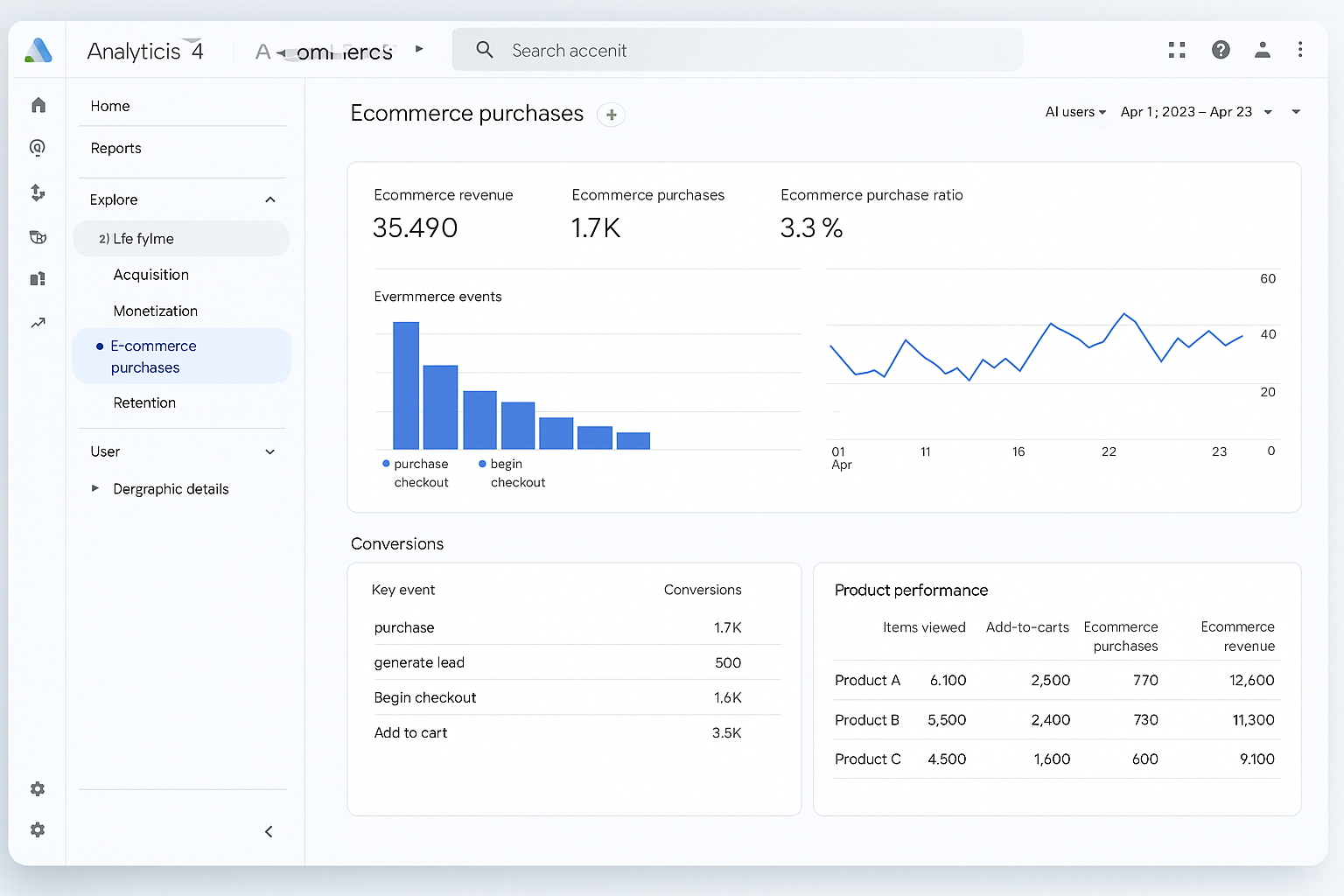
- Google Analytics 4 (GA4): Track user behavior, sessions, and e-commerce events (e.g., add_to_cart, purchase).
- Google Tag Manager (GTM): For easy tag deployment without code changes.
- Conversion Tracking: Define key actions like purchases, sign-ups, and abandoned cart recoveries.
Step-by-Step Setup for GA4 E-commerce Tracking:
- Create a GA4 property in your Google account.
- Add the GA4 tag via GTM or directly to your site.
- Enable Enhanced E-commerce in GA4 admin settings.
- Push events like view_item, add_to_cart, and purchase using your platform's plugins (e.g., Shopify's GA4 app).
Q&A Block:
Q: Do I need enhanced e-commerce tracking for Google Ads?
A: Yes—it's crucial for ROAS calculation and Smart Bidding. Without it, Google can't optimize for revenue.
1.3 Budget and Goal Setting
Start small: $50–$100/day for testing. Define goals like 3x ROAS or 5% conversion rate. Use SMART goals (Specific, Measurable, Achievable, Relevant, Time-bound).
Case Study: A dropshipping gadget store set a $200/day budget targeting 4x ROAS. After 30 days, they hit $15K in sales from $3K spend, thanks to proper tracking.
Chapter 2: Creating Your Google Ads Account – The Essential First Steps
Setting up a Google Ads account for e-commerce is straightforward but critical. Skip this, and you'll face billing issues or policy violations.
2.1 Account Creation Process
- Visit ads.google.com and click "Start Now."
- Sign in with a Google account (use a business email).
- Enter business details: Name, website URL, location, and time zone.
- Set billing: Add payment method (credit card, PayPal). New users get $500 credit for 60 days in 2025.
Best Practice: Enable auto-payments to avoid pauses. Set a monthly cap to control spend.
2.2 Linking Key Google Tools
- Google Merchant Center (GMC): Essential for Shopping Ads. Upload product feeds here.
- Google Analytics: Link for cross-data insights.
- Google Business Profile: For local inventory if you have physical stores.
Numbered List: Integration Steps
- In Google Ads, go to Tools > Linked Accounts > Google Analytics > Link.
- For GMC: Create account at merchant.google.com, verify site, upload feed.
- Test links: Run a diagnostics report in Ads.
Common Pitfall: Unverified GMC feeds lead to ad disapprovals. Always claim your website and submit a product feed within 24 hours.
Quick Comparison of Account Setup Options
| Step | Description | Time Required |
|---|---|---|
| Sign Up | Basic info entry | 5 mins |
| Billing | Payment setup | 2 mins |
| Linking Tools | GA4 & GMC | 10 mins |
Chapter 3: Understanding Google Ads Campaign Types for E-commerce
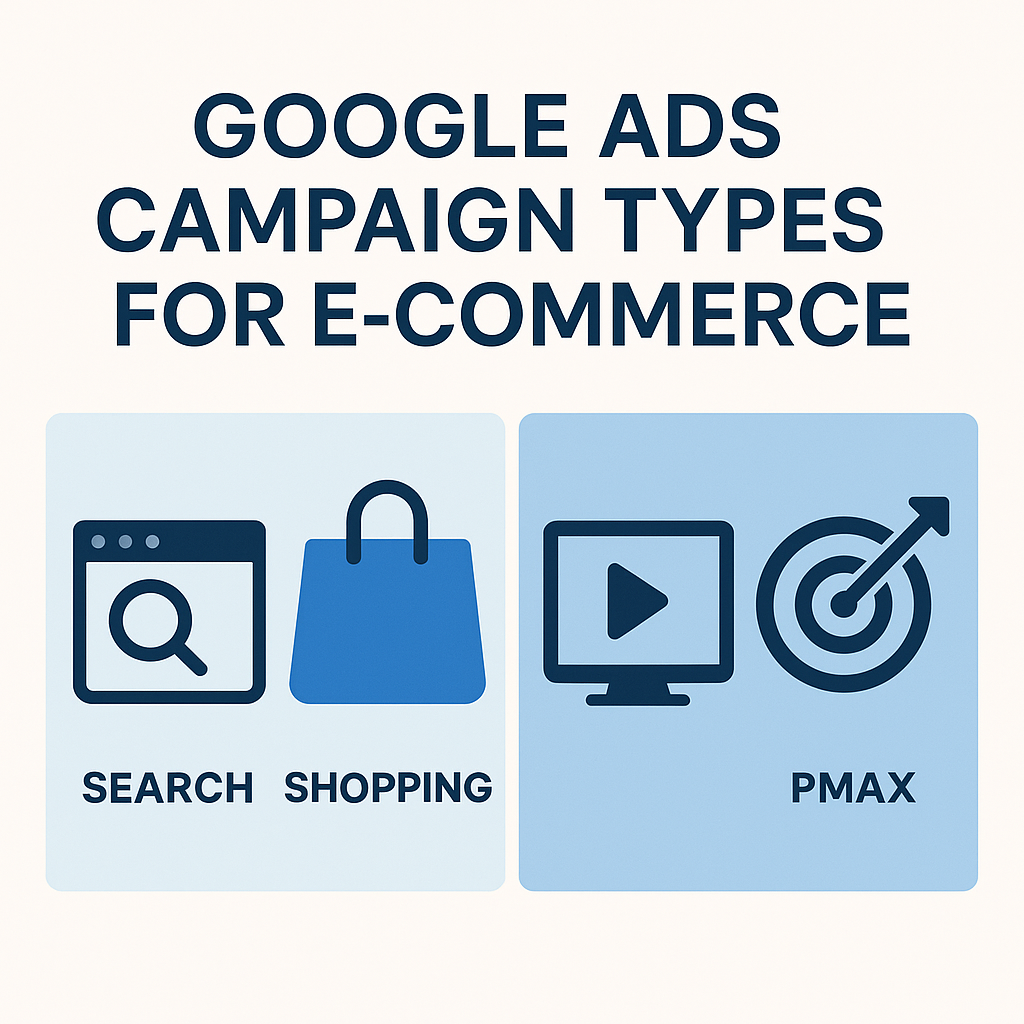
Not all campaigns are equal. For e-commerce Google Ads setup, prioritize types that match buyer intent.
3.1 Shopping Campaigns: The E-commerce Powerhouse
Google Shopping Ads display products with images, prices, and titles—perfect for visual shoppers. In 2025, they drive 35% of e-commerce ad revenue.
Subtypes:
- Standard Shopping: Manual control over bids and products.
- Performance Max (PMax): AI-driven across Search, Display, YouTube. Ideal for beginners—quick setup, automatic optimization
Pros vs. Cons Table:
| Aspect | Standard Shopping | Performance Max |
|---|---|---|
| Control | High (bids, targeting) | Low (AI handles) |
| Setup Time | 30 mins | 15 mins |
| Best For | Experienced users | New stores |
| ROAS Potential | 4-6x | 3-5x initially |
3.2 Search Campaigns: Capturing High-Intent Queries
Text ads for specific keywords like "buy wireless earbuds." Use Responsive Search Ads (RSAs) with 15 headlines and 4 descriptions for AI testing.
3.3 Display and Video Campaigns: Awareness and Retargeting
- Display: Image/video ads on 2M+ sites for brand building.
- YouTube Ads: Video for storytelling, targeting life events like "new parents."
Example: A beauty brand used YouTube retargeting to recover 15% of cart abandoners, adding $10K/month.
3.4 Other Types: Local Inventory and Dynamic Search Ads (DSA)
- Local Inventory Ads: For omnichannel stores showing in-stock items.
- DSA: Auto-generates ads from site content—no keywords needed.
Bullet List of Campaign Selection Tips:
- Start with Shopping/PMax for 80% of budget.
- Add Search for branded terms.
- Use Display/Video for top-of-funnel.
Chapter 4: Step-by-Step Google Ads Campaign Setup for E-commerce
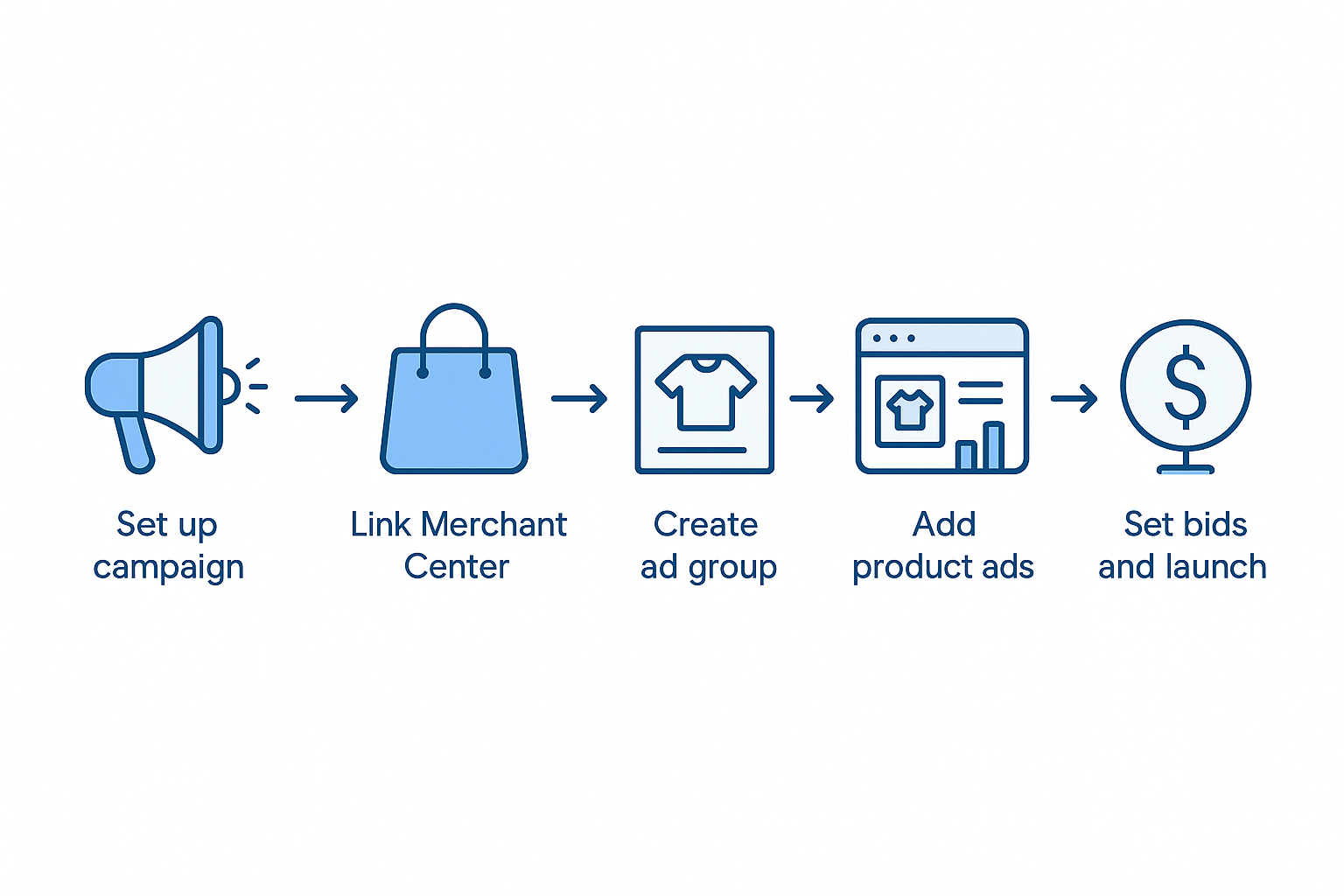
Now, the core: How to set up Google Ads for e-commerce. We'll focus on a Standard Shopping Campaign as a foundational example.
4.1 Creating Your First Campaign
- Log into Google Ads > Campaigns > New Campaign.
- Select Goal: "Sales" > Campaign Type: "Shopping."
- Choose Subtype: Standard Shopping.
- Name it (e.g., "Q4 Electronics Promo").
- Set Location: Target countries/regions (e.g., US, CA).
- Languages: Match your audience (English).
- Budget: Daily amount, e.g., $100.
- Bidding: Start with "Maximize Clicks" then switch to "Target ROAS."
4.2 Setting Up Ad Groups and Product Groups
- Ad Groups: One per category (e.g., "Shoes," "Clothing").
- Product Groups: Segment feed by attributes like brand or type. Bid differently on high-margin items.
Pro Tip: Use feed labels in GMC to filter products per campaign.
4.3 Keywords and Negative Keywords (For Search Campaigns)
- Keywords: Use broad/phrase match for reach, exact for control. Tools: Google Keyword Planner.
- Negatives: Exclude irrelevant terms (e.g., -free, -cheap).
Example Keyword List for a Coffee Store:
- +coffee +maker (phrase match)
- [espresso machine] (exact)
- Negatives: -used, -rental
4.4 Ad Creation and Extensions
- Shopping Ads: Auto-pull from GMC—no manual copy needed.
- Search Ads: Craft RSAs with compelling headlines like "50% Off Running Shoes – Free Shipping!"
- Extensions: Sitelinks, callouts, structured snippets for 15% CTR boost.
Q&A Block:
Q: How many assets for RSAs?
A: 10-15 headlines, 4 descriptions. Pin top performers to positions 1-3.
4.5 Bidding Strategies Deep Dive
- Manual CPC: Full control, good for testing.
- Smart Bidding: Target ROAS (e.g., 400%) uses AI for real-time adjustments.
- Enhanced CPC: Hybrid for beginners.
In 2025, Smart Bidding accounts for 70% of successful e-com campaigns.
Chapter 5: Product Feed Optimization – The Heart of Shopping Ads
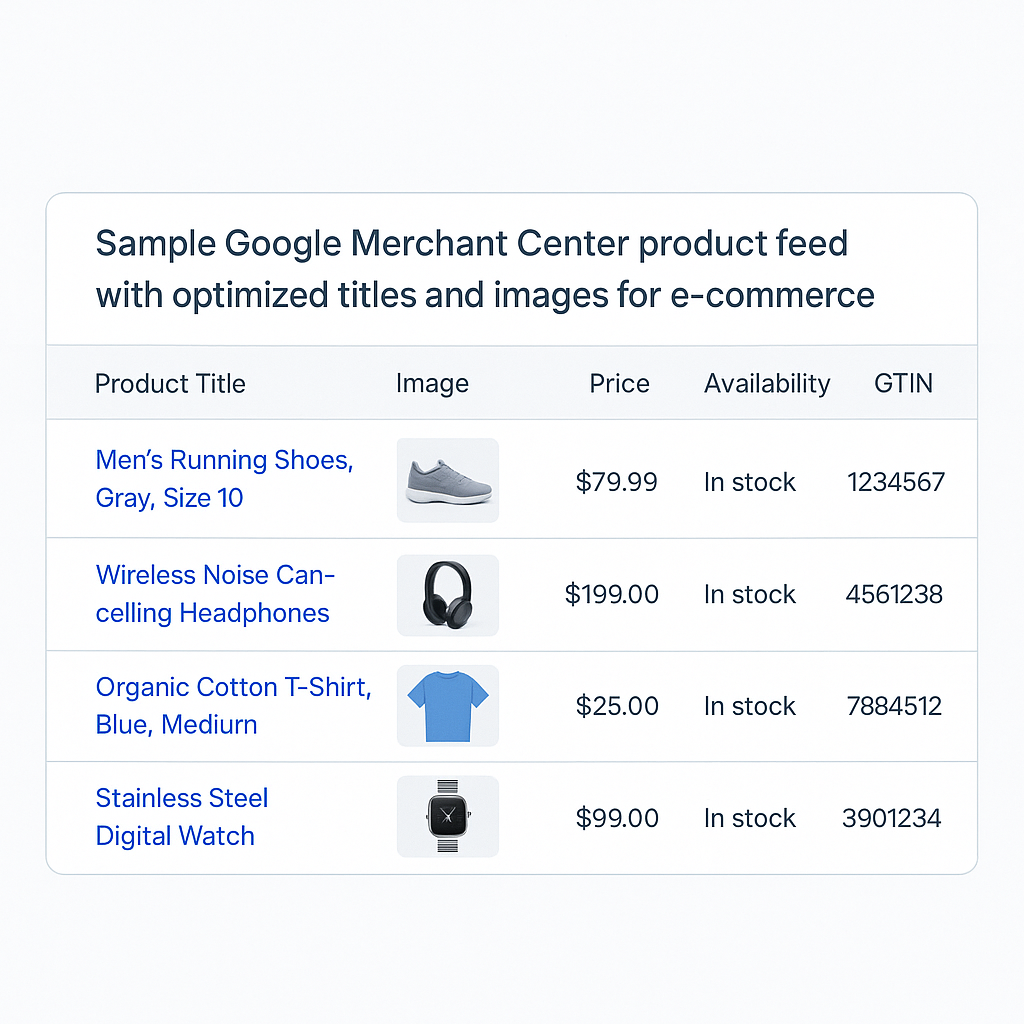
Your Google Merchant Center feed is the fuel for Shopping Ads. Poor feeds = disapprovals and low performance.
5.1 Feed Requirements and Setup
- Required Attributes: ID, title, description, image link, price, availability, GTIN.
- Optional but Crucial: Brand, color, size, custom labels for segmentation.
Upload Methods:
- Google Sheets: For small catalogs (<1K products).
- Scheduled Fetch: For dynamic feeds from Shopify/WooCommerce.
- Content API: For large stores.
Best Practices for 2025:
- Titles: Front-load keywords (e.g., "Nike Air Max 90 Sneakers – Men's Black Size 10").
- Images: 800x800px min, white backgrounds, no text overlays.
- Pricing: Include tax/shipping if applicable; use promotions feed for deals.
Table: Top Feed Errors and Fixes
| Error | Cause | Fix |
|---|---|---|
| Missing GTIN | No UPC/barcode | Add exemptions or buy GTINs |
| Image Issues | Low res | Use auto-improvements in GMC |
| Title Too Long | >150 chars | Trim to essentials |
5.2 Advanced Feed Optimization
- Custom Labels: Tag high/low margin products (e.g., label1=best_sellers).
- Dynamic Remarketing: Feed for personalized Display Ads.
- Local Inventory: Sync stock for in-store pickup ads.
Case Study: An apparel brand optimized titles with LSI keywords (e.g., "breathable," "waterproof"), lifting CTR by 25%.
Chapter 6: Launch, Monitor, and Optimize Your Campaigns
Setup is just the start. Ongoing management ensures sustained growth.
6.1 Launch Checklist
- Review for errors in Ads Editor.
- Enable campaign and monitor for 48 hours.
- Check GMC for disapprovals.
6.2 Key Metrics to Track
- CTR: Aim >2% for Shopping.
- Conversion Rate: >3%.
- ROAS: Target 4x+.
- Quality Score: 7/10 min for lower CPCs.
Bullet List of Monitoring Tools:
- Google Ads Dashboard: Real-time reports.
- GA4: Funnel analysis.
- Third-Party: Like Optmyzr for automation.
6.3 Optimization Strategies
- A/B Testing: Test ad copy, bids, audiences weekly.
- Negative Keywords: Add from search term reports.
- Bid Adjustments: +20% for mobile if converting well.
- Remarketing: Target cart abandoners with 10-20% off ads—recovers 15-30% of lost sales.
Advanced 2025 Tactics:
- AI Insights: Use Recommendations tab for auto-apply.
- First-Party Data: Enhance with Customer Match lists.
- Video Integration: Add YouTube assets to PMax for 20% uplift.
Practical Tip: Pause underperformers weekly. Example: A tech store cut low-ROAS product groups, reallocating $5K/month to winners, hitting 6x ROAS.
6.4 Scaling Strategies
- Increase budget 20% weekly on winners.
- Expand to new markets.
- Layer in DSA for untapped queries.
Case Study: From $10K to $100K monthly spend—a fitness brand scaled PMax with feed tweaks, achieving 5.2x ROAS in Q4 2024.
Chapter 7: Common Pitfalls and How to Avoid Them
Even pros slip up. Here's how to sidestep disasters in Google Ads e-commerce management.
Numbered List of Top Pitfalls:
- No Conversion Tracking: Fix: Set up GA4 immediately.
- Broad Match Without Negatives: Leads to irrelevant traffic. Monitor search terms daily.
- Ignoring Mobile: 60% of clicks are mobile—bid adjust accordingly.
- Over-Reliance on PMax: It's a black box; supplement with Standard Shopping.
- Stale Feeds: Update daily for stock/pricing changes.
Q&A Block:
Q: Why are my ads disapproved?
A: Common reasons: Trademark issues, poor images. Appeal via GMC or fix feed.
Conclusion: Launch Your Google Ads E-commerce Empire Today
Mastering Google Ads setup for e-commerce in 2025 means blending human strategy with AI power to capture high-intent shoppers and scale sustainably. From account creation and feed optimization to bidding and remarketing, this guide equips you with actionable steps to hit 4x+ ROAS. Remember: Start small, track everything, optimize relentlessly.
Ready to act? Create your account today, set up that Merchant Center feed, and launch a test campaign. Track results weekly, and watch sales soar. For personalized help, explore Google's Skillshop or consult a PPC expert.
Final Tip: Allocate 20% of budget to testing new tactics like YouTube retargeting—it's where growth hides.