The Ultimate Guide to CRO in 2025: How to Double Your Revenue Without Increasing Ad Spend

Introduction: The Brutal Truth About Your Marketing Budget
Let’s get brutally honest. If your website isn’t converting, nothing else matters.
You can have the most precise audience targeting in the world. You can have a perfect Google Ads account structure. You can have award-winning creative strategy. You can spend $50,000 a month.
But if your landing page leaks traffic, you are setting that money on fire.
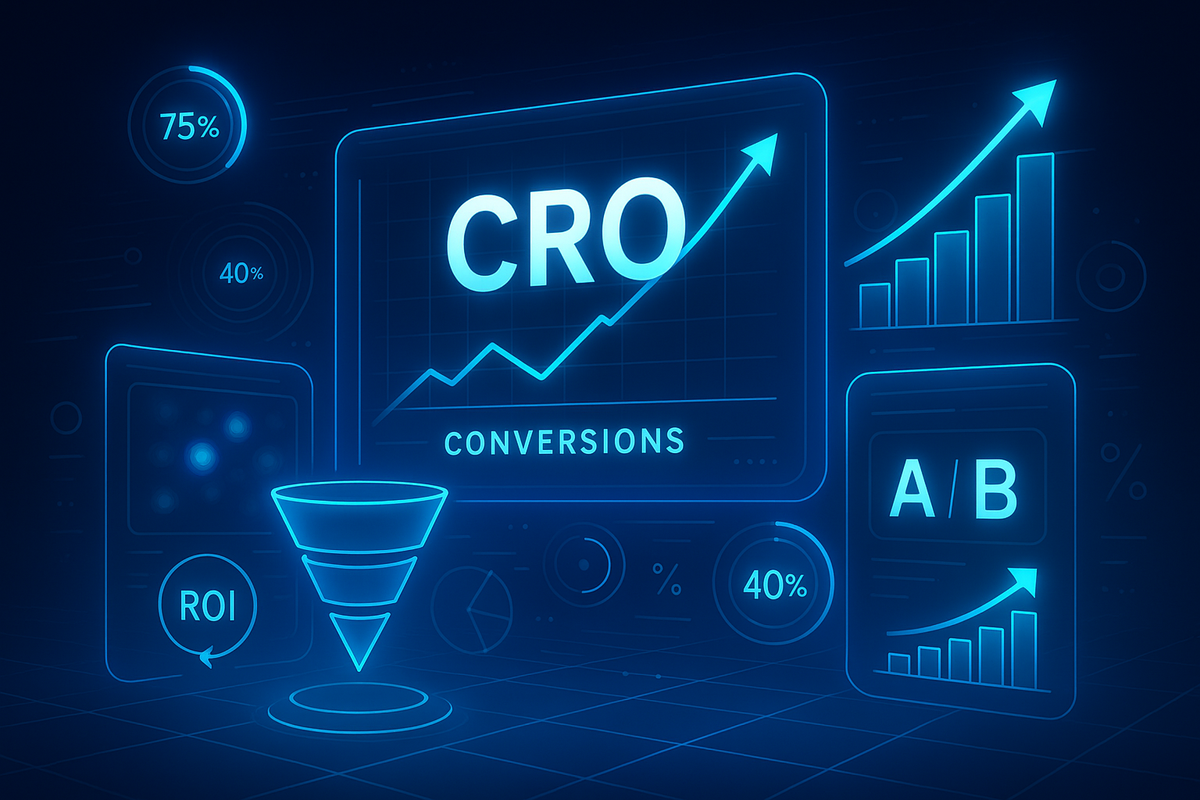
CRO (Conversion Rate Optimization) is the difference between scaling a business profitably and struggling to break even. It is the only marketing lever that allows you to make more money from the same traffic.
The 2025 Landscape: Why Traffic is a Commodity
In 2025, the era of "cheap clicks" is officially dead. Cost Per Click (CPC) inflation is outpacing inflation in the general economy. Look at the Year-over-Year (YoY) data:
- Google Ads: +17% YoY
- Meta (Facebook/Instagram) Ads: +22% YoY
- LinkedIn Ads: +31% YoY
- TikTok Ads: +12–18% YoY
Traffic is getting more expensive every single quarter. If you rely solely on acquiring new traffic to grow, your Customer Acquisition Cost (CAC) will eventually eat your margins alive.
At AdProfit.io, we have optimized over 400 landing pages, managed millions in ad spend, and scaled both eCommerce brands and service businesses across the US, Europe, and the DACH region. We don’t guess; we test.
This comprehensive guide contains everything we use to double conversion rates.
What You Will Learn
- The Advanced "Revenue Math" of CRO
- 10 Proven CRO Tactics (The "Tricks" Pros Use)
- Deep Dives: Psychology, Mobile, and Checkout
- Real-World Case Studies (eCom, B2B, & Service)
- The CRO Prioritization Matrix
- Common Mistakes That Kill Sales
Part 1: Why CRO Is the #1 Profit Lever in 2025
If you do not optimize for conversions, scaling is mathematically impossible. Many business owners treat CRO as an afterthought—something to do "once the ads are working." This is backward. CRO makes the ads work.
The Power of "Revenue Math"
Let’s run a scenario to demonstrate the exponential power of conversion rate improvements.
Imagine an e-Commerce store selling high-end coffee equipment.
| Metric | Scenario A (Current) | Scenario B (Optimized) | Impact |
| Monthly Traffic | 10,000 Visitors | 10,000 Visitors | Same Traffic |
| Conversion Rate | 1.5% | 3.0% | 2x Improvement |
| Total Orders | 150 | 300 | +150 Orders |
| Avg. Order Value | $150 | $150 | Same Price |
| Revenue | $22,500 | **$45,000** | Double Revenue |
| Ad Spend | $10,000 | $10,000 | **$0 Extra Cost** |
| ROAS | 2.25x | 4.5x | Elite Efficiency |
By focusing on the landing page rather than the ad account, you have doubled your revenue without spending a single extra dollar on Zuckerberg or Google.
CRO Impacts the Entire Ecosystem
Conversion optimization isn't just about sales; it creates a halo effect across your entire digital presence:
- Lower CPAs: Higher conversion rates mean you pay less for every customer acquired.
- Algorithm Learning: Ad platforms (Meta/Google) run on data. More conversions = more data = smarter algorithms finding you better customers.
- SEO Lift: Google monitors "dwell time" and user engagement. A highly optimized site keeps users engaged, signaling to Google that your content is valuable.
- Aggressive Bidding: When your conversion rate is high, you can afford to bid higher than your competitors and still be more profitable.
Part 2: The 10 Advanced CRO Tactics (The "AdProfit" Framework)
We have condensed years of testing into these 10 high-impact tactics. These are not theories; they are implementation steps you can take today.
CRO Trick #1 — The 5-Second Rule: Clarity Wins
Your website has exactly five seconds (often less on mobile) to answer four subconscious questions in the user's mind:
- What do you sell?
- Who is it for?
- Why is it valuable?
- What should I do next?
If the visitor has to scroll, read a paragraph, or "think" to answer these, you have lost them. This is called Cognitive Load. High cognitive load kills conversions.
The "Grunt Test"
Could a caveman look at your site for 5 seconds, close the laptop, and tell you what you sell? If not, you need to rewrite your Hero Section.
AdProfit.io’s 5-Second Headline Formula
Do not try to be clever. Be clear. Use this formula:
[Product/Service] for [Audience] to [Desired Result] — without [Pain Point].
Examples:
- Bad (Vague): "Digital Solutions for Tomorrow."
- Good (Clear): "Automated Payroll Software for Small Businesses. Save 10 Hours a Week—No Accounting Degree Required."
- Bad (Vague): "Premium Coffee."
- Good (Clear): "Barista-Grade Coffee Beans Delivered to Your Door. Roasted Within 24 Hours of Shipping."
Action Item: Audit your H1 (Main Headline) and H2 (Subheadline). If they don't pass the Grunt Test, rewrite them today.
CRO Trick #2 — High-Intent CTAs (Weak Buttons = Weak Revenue)
Your Call to Action (CTA) is the highest-value real estate on your page. It is the gateway to your revenue. Yet, 90% of businesses use generic, low-effort copy.
Avoid These "Friction Words":
- ❌ Submit (Sounds like yielding to authority)
- ❌ Contact Us (Sounds like work/waiting)
- ❌ Learn More (Sounds like reading a textbook)
Use These "Value Words":
Your CTA should describe the benefit of clicking, not the act of clicking.
For eCommerce:
- ✔ "Add to Cart — Free Shipping"
- ✔ "Get 10% Off Now"
- ✔ "Secure My Discount"
- ✔ "Ship My Order"
For Service Businesses:
- ✔ "Get My Free Quote"
- ✔ "Check Availability"
- ✔ "Book a 15-Min Strategy Call"
- ✔ "See Pricing Instantly"
Pro Tip: Add "Microcopy" under the button to reduce anxiety.
- Example: Under a "Start Free Trial" button, add tiny text that says: "No credit card required. Cancel anytime."
CRO Trick #3 — Social Proof Above the Fold
Humans are herd animals. We buy what others buy. If a user lands on your page and doesn't immediately see that others trust you, they will hesitate.
Most brands bury reviews at the bottom of the page. Move them to the top.
The "Trust Triad" Layout
- Hero Headline: The promise.
- CTA Button: The action.
- Social Proof: The validation (placed immediately near the button).
Examples of Above-the-Fold Proof:
- ⭐⭐⭐⭐⭐ "Rated 4.9/5 by 2,400+ customers"
- "As seen in Forbes / TechCrunch / Vogue" (Media Logos)
- "Trusted by [Company A], [Company B], [Company C]" (Client Logos)
This simple layout shift typically yields a 15–35% lift in conversion rates.
CRO Trick #4 — Page Speed Optimization (Core Web Vitals)
A slow site is a conversion killer. Amazon found that every 100ms of latency cost them 1% in sales.
The Stats:
- 1-second delay = -7% conversion drop.
- 3-second delay = 53% of mobile users bounce.
The AdProfit.io Speed Checklist:
- Image Compression: Use WebP format. Images should rarely exceed 100kb.
- Lazy Loading: Defer loading images/videos that are "below the fold" until the user scrolls to them.
- Minify Code: Compress CSS and JavaScript files.
- Hosting: If you are on cheap shared hosting, upgrade to a dedicated server or a premium managed host (like WP Engine or Shopify Plus).
- CDN: Use a Content Delivery Network (Cloudflare) to serve your site from servers closest to the user.
CRO Trick #5 — The Value Stack (Make Your Offer a “Hell Yes”)
Price is only an issue in the absence of value. If a customer thinks your product is "too expensive," it means you haven't stacked enough value to justify the price.
A Value Stack is a list that visually breaks down everything the customer gets, often assigning a monetary value to each component to show the "total value" vs. the "price."
eCommerce Value Stack Example:
Instead of just selling a "$50 Coffee Maker," sell:
- The Precision Brewer (Value: $50)
- BONUS: Reusable Gold Filter (Value: $15)
- BONUS: "Barista Secrets" Recipe E-book (Value: $20)
- BONUS: Extended 2-Year Warranty (Value: $30)
- Total Value: $115
- Your Price: $50
This technique relies on the psychological trigger of Anchoring. You anchor the user to the higher value ($115), making the actual price ($50) feel like a steal.
CRO Trick #6 — Shorter Forms = More Money
Forms represent "friction." Every field you ask a user to fill out requires effort and increases privacy anxiety.
The Rule of Thumb: Remove every field that is not absolutely essential for the initial transaction.
- eCommerce: Do you really need their "Company Name"? No. Remove it.
- Lead Gen: Do you really need their "Phone Number" and "Email" on step one? Maybe just Email is enough to start the nurture sequence.
Optimal Field Counts:
- eCommerce Checkout: 2–4 fields (Guest checkout is mandatory).
- Service Quote: 3–5 fields (Name, Method of Contact, Service Type).
- B2B Enterprise: 5–7 fields (You can add friction here to qualify leads).
Pro Tip: The "Breadcrumb" Technique
If you absolutely need a long form (e.g., for a mortgage application), break it into steps.
- Step 1: "What type of home are you buying?" (Low friction click).
- Step 2: "What is your budget?"
- Final Step: "Where should we send the quote? (Enter Email)."Users are more likely to finish a form once they have already invested time in the first few steps (The Sunk Cost Fallacy).
CRO Trick #7 — Intent-Based Pop-Ups (Smart, Not Annoying)
Pop-ups have a bad reputation because they are used poorly. But they work. The key is Context.
Don't: Show a pop-up the second someone loads your site. This is annoying and hurts SEO.
Do: Use "Smart Triggers."
- Exit-Intent: Detects when the mouse moves to close the tab.
- Copy: "Wait! Don't leave empty-handed. Here is 10% off your first order."
- Scroll-Depth: Triggers when a user scrolls 50% down the page (showing interest).
- Copy: "Enjoying the read? Get our weekly strategy guide."
- Time-On-Site: Triggers after 60 seconds of engagement.
- Copy: "Need help deciding? Chat with an expert."
CRO Trick #8 — Heatmaps & Behavior Analytics
You cannot fix what you cannot see. Google Analytics tells you what happened (Bounce Rate: 70%). Heatmaps tell you why it happened.
Tools we use: Hotjar, Microsoft Clarity (Free), Lucky Orange.
What to look for:
- Scroll Maps: Where is the "False Bottom"? If 80% of users stop scrolling after the Hero section, they don't realize there is more content. You need to add a visual cue (like an arrow).
- Click Maps (Rage Clicks): Are users clicking on an image that isn't a link? They expect it to be clickable. Make it a link!
- Dead Zones: Is there a huge section of text that nobody hovers over or reads? Delete it. It’s distraction.
CRO Trick #9 — Trust Boosters & Risk Removers
Fear is the primary barrier to conversion.
- "What if it doesn't fit?"
- "What if they scam me?"
- "What if the quality is bad?"
You must systematically dismantle these fears using Risk Reversal.
Trust Elements to Inject:
- Guarantees: "30-Day Money-Back Guarantee" or "100% Satisfaction Promise."
- Free Returns: Removes the fear of buying the wrong size.
- Security Badges: "SSL Secure Checkout," "Norton Secured."
- Humanity: Show faces. A phone number and a physical address in the footer prove you are a real company, not a dropshipper in a basement.
CRO Trick #10 — A/B Testing Every 14 Days
CRO is a system, not a task. You are never "done."
You should be running an A/B test (Split Test) constantly.
- Test A: Your current page (Control).
- Test B: The new variation (Challenger).
What to test (in order of impact):
- Headline (Highest impact).
- The Offer (e.g., 10% off vs. Free Shipping).
- The Hero Image.
- The CTA text.
- The Layout.
Rule: Only test one variable at a time. If you change the Headline AND the Button Color, and conversions go up, you won't know which change caused the win.
Part 3: Deep-Dive Implementation Guides
1. Psychological Triggers: The Science of Persuasion
CRO is essentially psychology applied to design. Dr. Robert Cialdini’s principles of persuasion are the foundation of high-converting pages.
- Scarcity: "Only 3 items left in stock."
- Why it works: Fear of Missing Out (FOMO). When resources are limited, perceived value rises.
- Implementation: Add a low-stock counter on product pages.
- Urgency: "Sale ends in 03:12:45."
- Why it works: Procrastination is the enemy of conversion. Urgency forces a decision now.
- Implementation: Use countdown timers for special offers (but they must be real; fake urgency destroys trust).
- Authority: "Recommended by Dr. Smith, PhD."
- Why it works: We trust experts.
- Implementation: Display certifications, awards, or endorsements from industry leaders.
- Reciprocity: "Get this Free Guide."
- Why it works: When you give something of value for free, the user feels indebted to give something back (their email or attention).
- Implementation: Offer a high-value Lead Magnet (PDF, Checklist, Calculator).
2. Mobile CRO: The "Thumb Zone" Era
In 2025, if you are designing for desktop first, you are failing.
- 68% of eCommerce purchases are mobile.
- 84% of local service searches happen on mobile.
The Mobile Optimization Protocol:
- The Thumb Zone: Place critical buttons (Add to Cart, Call Now) within easy reach of the user's thumb (bottom center of the screen).
- Sticky CTAs: As the user scrolls down a long page, the "Buy" button should stick to the bottom of the screen so it is always available.
- Font Size: Body text should be at least 16px. If users have to pinch-to-zoom, they will bounce.
- Input Fields: Ensure the keyboard that pops up matches the field. If asking for a phone number, trigger the numeric keypad, not the full QWERTY keyboard.
3. Checkout Flow Optimization
The checkout is where you make the money, but it is also where you lose the most people (Cart Abandonment rate averages 70%).
The "Perfect Checkout" Blueprint:
- Guest Checkout: Mandating account creation is the https://www.google.com/search?q=%231 reason for abandonment. Allow Guest Checkout, then ask them to save a password after the purchase is complete.
- Express Payment: Integrate Apple Pay, Google Pay, Shop Pay, and PayPal. These allow users to buy with a fingerprint scan rather than typing 16 credit card digits.
- No Surprise Costs: Show shipping costs and taxes early. Surprising a user with a $15 shipping fee at the final step causes "Sticker Shock."
- Trust Reinforcement: Place security badges and the "Money Back Guarantee" icon right next to the "Place Order" button.
4. Competitor Benchmarking
You don't need to reinvent the wheel. Your competitors have likely already spent thousands testing what works.
How to Spy:
- Facebook Ad Library: Search your competitor's name. See what ads they have been running the longest. The ads that have been active for 3+ months are their winners. Click them to see their landing pages.
- BuiltWith: Enter a competitor’s URL to see their tech stack. Are they using Klaviyo? Hotjar? Shopify?
- User Testing: Buy a product from them. Screenshot every step of their checkout flow, their confirmation email, and their retargeting ads. Copy their structure, but improve the offer.
Part 4: Real Case Studies from AdProfit.io
Case Study 1: eCommerce (Specialty Coffee Brand)
The Problem: A D2C coffee brand was driving traffic via Meta Ads but stuck at a 1.2% conversion rate. They were attracting clicks, but users were bouncing at the product page.
The Diagnosis:
- The page was generic. "Roast: Medium" didn't explain the flavor.
- No social proof above the fold.
- Slow load times on mobile.
The Solution:
- Value Stack: We renamed the offer from "Coffee Bag" to "The Morning Ritual Bundle." We included a free brewing guide PDF.
- Visual Clarity: Replaced generic bag photos with GIFs showing the coffee being poured (sensory appeal).
- Sticky CTA: Added a sticky "Add to Cart" button on mobile.
The Result:
- Conversion Rate: 1.2% → 2.8%
- Revenue: +133% Increase within 30 days.
- ROAS: Improved from 1.8x to 3.4x.
Case Study 2: Service Business (Local Plumber)
The Problem: A plumbing company in Chicago was spending $3,000/month on Google Ads. They were getting clicks, but very few phone calls.
The Diagnosis:
- The landing page had a generic "Contact Us" form with 7 fields.
- The headline was weak: "Plumbing Services."
- No trust signals visible.
The Solution:
- Headline: Changed to "Emergency Plumbing in Chicago – We Arrive in 60 Minutes or Less." (Urgency + Specificity).
- CTA: Changed from a form to a massive "Click to Call" button for mobile users.
- Social Proof: Added a "Google Reviews" widget showing their 4.8-star rating directly under the headline.
The Result:
- Call Volume: Tripled in week one.
- Cost Per Lead (CPL): Dropped from $85 to $28.
Case Study 3: B2B SaaS (Project Management Tool)
The Problem: A SaaS company wanted more demo bookings. Their page was beautiful but confusing.
The Diagnosis:
- Too much jargon ("Synergistic workflow solutions").
- The "Book a Demo" form had 9 fields.
The Solution:
- Copy: Rewrote headline to pass the Grunt Test: "Manage Projects Without the Chaos."
- Video: Added a 60-second "Watch How It Works" video above the fold.
- Form: Implemented the "Breadcrumb" technique. Step 1: "How big is your team?" Step 2: "Email."
The Result:
- Demo Bookings: +65% Increase.
- Sales Team Morale: Improved because leads were better qualified.
Part 5: The 20 Common CRO Mistakes to Avoid
Before you start testing new things, fix these errors.
- Weak Headlines: Being cute instead of clear.
- Hidden Contact Info: Making it hard to find support.
- Slow Sliders: Carousels (sliders) kill conversion. Users ignore them. Use a static hero image instead.
- Generic CTAs: "Submit" is forbidden.
- Dark Patterns: Tricking users into buying (e.g., sneaking an item into the cart). This destroys long-term trust.
- Poor Contrast: Light grey text on a white background is unreadable.
- Too Many Choices: Analysis paralysis. Give them ONE primary goal.
- Ignoring Mobile: Designing on a 27-inch iMac and forgetting the iPhone SE.
- Fake Scarcity: "Sale ends today" every single day. Users aren't stupid.
- Huge Paragraphs: Wall of text = bounce. use bullet points.
- No Visual Hierarchy: Everything is the same size/boldness. Guide the eye.
- Slow Load Times: Uncompressed images.
- Distracting Links: Links in the landing page footer that go to social media. Don't send traffic away from your site!
- Bad Stock Photos: People shaking hands in suits. Use authentic photos.
- No Value Proposition: failing to answer "Why buy from you?"
- Complex Captchas: Making it impossible to fill out a form.
- Lack of Search: For eCom, a bad search bar kills sales.
- Hidden Shipping Costs: The https://www.google.com/search?q=%231 killer of checkouts.
- No Guest Checkout: Forcing registration.
- Not Testing: Guessing is the biggest mistake of all.
Part 6: The CRO Prioritization Matrix (What to Fix First)
You have limited time and resources. How do you decide what to test? Use the PIE Framework.
| Factor | Definition | Score (1-10) |
| P (Potential) | How much improvement can be made on this page? (Is it terrible right now?) | |
| I (Importance) | How valuable is the traffic to this page? (High volume/High cost?) | |
| E (Ease) | How easy is it to implement the test? (Copy change vs. complex coding?) |
Formula: (P + I + E) / 3 = Priority Score
Example:
- Checkout Page: High Potential (8), High Importance (10), Medium Ease (5). Score: 7.6 (Do this first).
- About Us Page: Low Potential (3), Low Importance (2), High Ease (9). Score: 4.6 (Do this last).
Frequently Asked Questions (FAQ)
Q1: What is a "good" conversion rate in 2025? It depends entirely on the industry and traffic source, but here are the benchmarks we aim for at AdProfit.io:
- eCommerce: 2.5% – 4.5% is average. 5%–8% is strong. Above 10% is elite.
- Local Service (Plumbers, Dentists, etc.): 8% – 18% is typical. High-trust pages can hit 25%+.
- B2B SaaS: 2% – 5% for trial signups; 15%–25% for ebook/webinar leads.
- Landing Pages (Warm Email Traffic): Should aim for 10% – 20%.
Q2: How much traffic do I need before I start A/B testing? To get statistical significance (mathematical proof that a change caused the result), you typically need at least 1,000 visitors and 100 conversions per variation within a 2-4 week period.
- If you have low traffic: Focus on qualitative data (user recordings, heatmaps) and "Best Practice" implementation (speed, clarity, trust) rather than split testing.
Q3: What is the difference between UX and CRO? They are siblings, but they have different goals.
- UX (User Experience): Focuses on making the site easy, enjoyable, and intuitive to navigate. (Goal: Satisfaction).
- CRO (Conversion Rate Optimization): Focuses on persuading the user to take a specific action. (Goal: Revenue).
- Note: Good CRO requires good UX, but a "pretty" site with great UX can still fail to convert if the sales psychology is missing.
Q4: Should I use long-form or short-form copy on my landing page? The length of the copy should match the level of awareness and the cost of the offer.
- Short Copy: Works best for low-risk, impulsive buys (e.g., a $20 t-shirt) or free offers (newsletter signup).
- Long Copy: Mandatory for high-ticket items (e.g., a $2,000 course or enterprise software). You need more words to overcome higher objections and build more trust.
Q5: Do videos actually increase conversion rates? Yes. Adding a video to a landing page can increase conversions by 80% (source: EyeView).
- Best use cases: Product demonstrations (eCom), Founder stories (Service), and Case study walkthroughs (B2B).
- Warning: Never set video to "Auto-play with Sound." This annoys users and increases bounce rates. Always use captions so users can watch without sound.
Q6: How does page speed affect my Google Ads costs? Google assigns your ads a Quality Score (1-10). One of the biggest factors in Quality Score is "Landing Page Experience."
- If your page is slow, your Quality Score drops.
- When Quality Score drops, your Cost Per Click (CPC) increases.
- Result: Faster pages literally make your ads cheaper.
Q7: Are chatbots helpful or hurtful for CRO? It depends on implementation.
- Helpful: If used to answer pre-sales objections instantly (e.g., "Do you ship to Canada?").
- Hurtful: If they pop up immediately, block the "Add to Cart" button, or make a fake "ding" sound.
- AdProfit Tip: Use a "passive" chat widget that only expands when clicked, or trigger it only after the user has been on the page for 20 seconds.
Q8: What happens if my A/B test fails (the new version performs worse)? A "failed" test is still a win because you learned what doesn't work without rolling it out to 100% of your audience.
- If Version B loses, analyze why. Did the new headline confuse them? Was the offer not compelling?
- Use that insight to build Version C. CRO is an iterative process of elimination.
Q9: How often should I update my creative vs. my landing page?
- Ads: Ad creative fatigues quickly (every 2-4 weeks on Facebook/TikTok).
- Landing Pages: Landing pages last longer. You should generally refresh or test a major element on your landing page every 30-60 days, or whenever you launch a new offer.
Q10: What are the best tools for CRO in 2025? You don't need expensive enterprise software to start.
- Analytics: Google Analytics 4 (GA4).
- Heatmaps/Recordings: Microsoft Clarity (Free) or Hotjar.
- A/B Testing: VWO, Convert.com, or Shopify's built-in testing apps.
- Page Speed: GTmetrix or Google PageSpeed Insights.
Q11: Should I optimize for Desktop or Mobile first? Mobile First. Period. Even in B2B, decision-makers often do their initial research on their phones during their commute or in bed. If you fail on mobile, you fail everywhere. Most social ad traffic (90%+) is mobile.
Q12: Why do I have a high "Add to Cart" rate but a low "Purchase" rate? This indicates a problem in the checkout funnel, not the product page.
- Common Culprits: Surprise shipping costs, taxes not calculated early, lack of "Guest Checkout," or declined credit cards due to strict fraud settings.
- Fix: Install a "cart abandonment" email flow and audit your shipping settings.
Conclusion: The Next Step
The digital landscape of 2025 is unforgiving. Ad costs are rising, and competition is fierce. You cannot afford to send expensive traffic to a mediocre website.
CRO is not just a marketing tactic; it is the ultimate competitive advantage. By implementing the strategies in this guide—the 5-Second Rule, the Trust Triad, the Value Stack, and rigorous testing—you can build a machine that prints profit.
Don't let another visitor bounce.
Ready to Scale?
At AdProfit.io, we don't just run ads; we build revenue engines. We are offering a Free CRO + Google Ads Audit for businesses spending over $5k/month on ads.
We will analyze your landing page, tear apart your funnel, and show you exactly where you are leaving money on the table.
👉 Book Your Free Strategy Call at AdProfit.io
We only accept clients we know we can scale. Let’s find out if you are one of them.